
Editing tools shouldn't slow you down - flowy automatically animates your screen recordings based on your interactions.
Explore real-world examples of our powerful Mac screen recorder.
All examples created solely using flowy.
The "Zoomed In" feature makes the recording follow the cursor around, allowing you to target any screen size
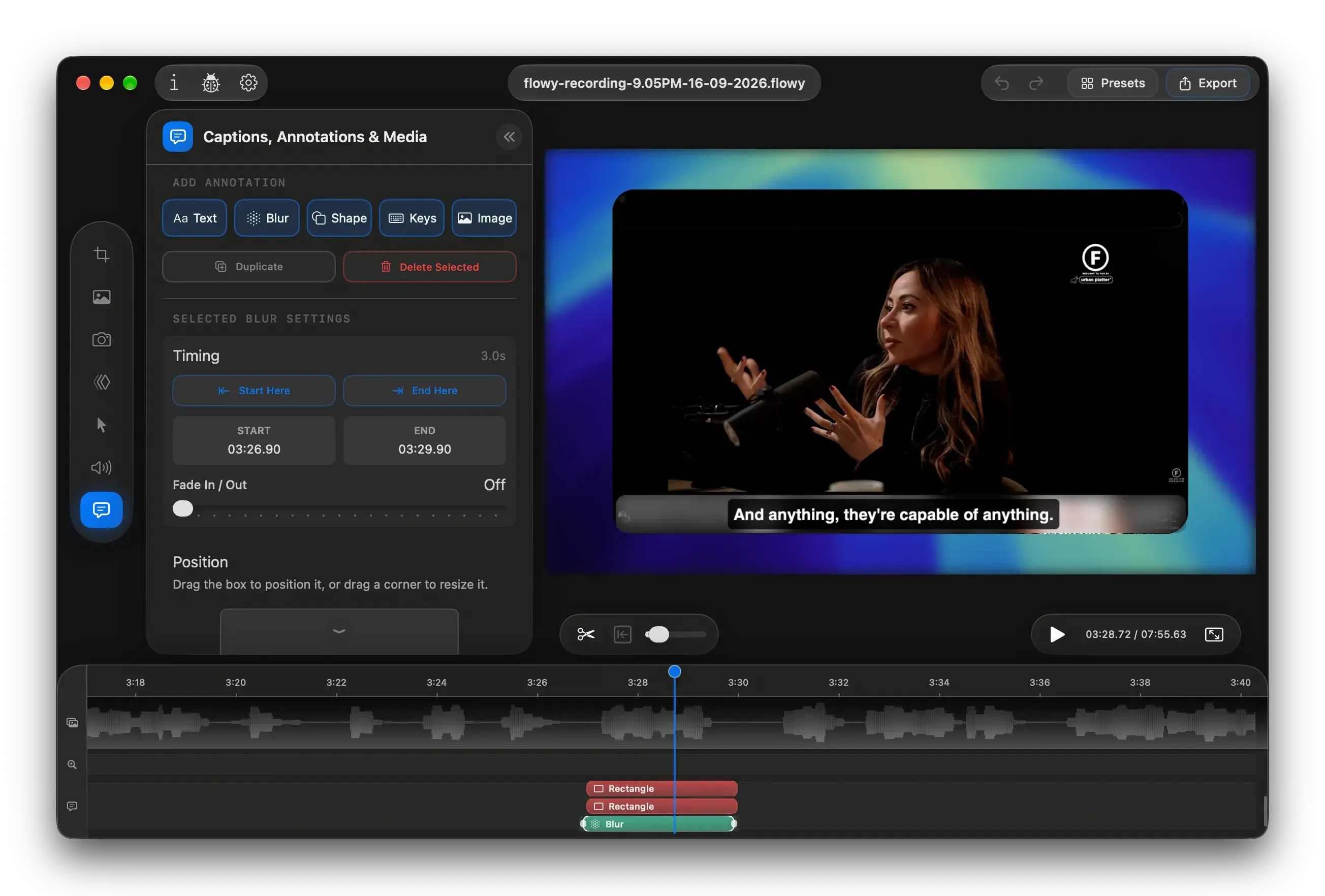
A professional editor for turning screen recordings into polished demos, tutorials, and walkthroughs without a pile of complicated tools.
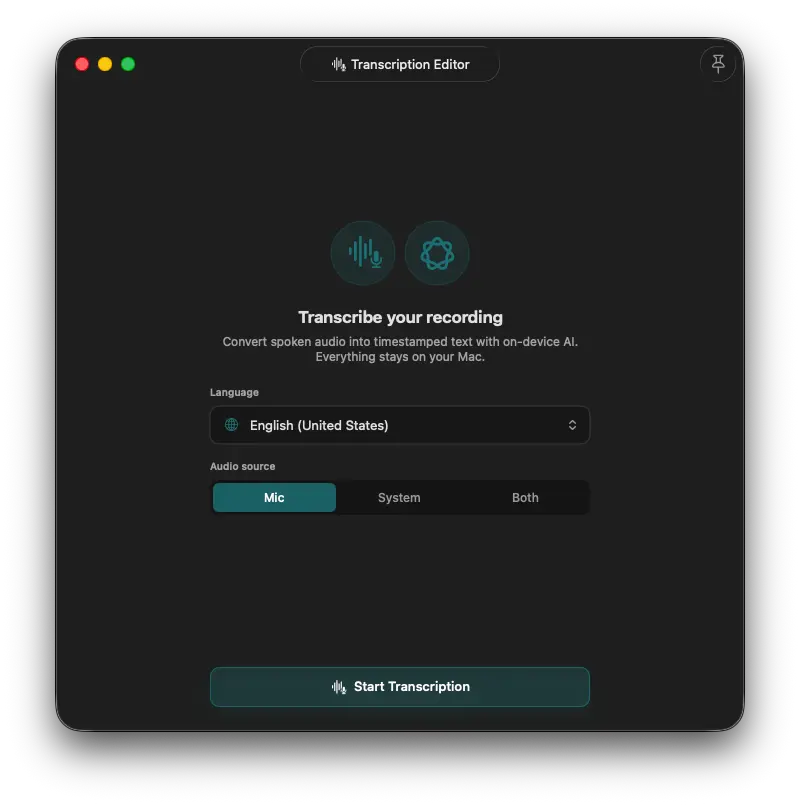
Transcribe microphone, system audio, or both. Use on-device AI to enhance or summarize.
Your audio stays on your Mac.
Transcribe
Mic, system, or both
Refine
Rewrite or enhance
Caption
Add it to your video
Everything is documented. Catch up on major releases, refinements, and the small fixes that make recording and editing smoother.
View the changelogMany of the fixes and improvements come from your feedback. Spotted something that could be better? Let us know.
The in-app Report CenterExplore real opinions from people all around the world.
Click any of the reviews to see the original source.
Been using it since launch for recording lattix.app demos. Works great.
As a developer myself, I give credit where credit is due… this application is just too nice for screen recording and it feels natural, almost like a marriage between FCP (in its barebones) and a generic screen recording app. It's clean, simple and very easy to use and does the job pretty good so far. Far better than other bloated junk out there.
Makes recording and editing so effortless, it almost feels like cheating. The interface is clean, the controls are intuitive, and the built-in editor saves me from juggling multiple apps. It's clear the developer put real thought into making the experience smooth and frustration-free. If you need a reliable, all-in-one screen recording tool, Flowy is a game-changer.
I've tried a few screen recording apps for Mac, but this one is definitely the easiest to use. No complicated setup
I grabbed this app when it was free for a couple of days and let me tell you, it's fantastic. Updates roll out regularly, bugs get fixed quickly, and the developer clearly listens to community feedback. Kudos to them. I absolutely love using this app whenever I need to present something with annotations.
I recommend this application because it reduce lot of editing works. Please give it a try.
Deze app werkt zo goed, het doet precies wat het moet doen. Kies zoom / overgangen, kies je camera, kies je microfoon. Ik ditch OBS 😂 P.s. deze app vervangt OBS niet
Thank you! I've been looking to start making coding tutorials, so this will be great.
[...] This is so easy to use! Just hit record and when you're done, it automatically opens the editor where you can edit the zooms and some basic video editing tools. The automatic zooms are pretty spot on but I still edit it just a tiny bit.
*Mac App Store reviews are sepparate on each region. Open them a new tab (using right-click) to see the source.
Yes! There will also be a camera preview overlay on your screen, but it won't be visible in the recording. You can easily reposition and resize your camera over the recording in the editing stage.

